
Some Smart TVs and streaming devices completely shut down their network connection (Wi-Fi or Ethernet) when powered off. Since TVRem communicates with devices over the local network, it may not be able to send a power-on command after the device has been turned off.
To wake up such devices, TVRem uses Wake-on-LAN (WoL) and Wake on Wireless LAN (WoWLAN) technologies. They sends a particular signal (a so-called 'magic' packet) via the local network to the device. If these technologies are supported and enabled, the device should turn on when it receives this packet.
To send the magic packet, TVRem needs to know the device's MAC address. For some devices, TVRem can detect the MAC address automatically. For others, you may need to enter it manually. You can usually find the MAC address in your device's network settings.
For example, for Samsung Smart TVs:
- Open Settings menu.
- Select Support -> About This TV or Contact Samsung.
- Scroll down if necessary to view the MAC address.
For other TV brands and streaming devices, please check your device's user manual or online support documentation.
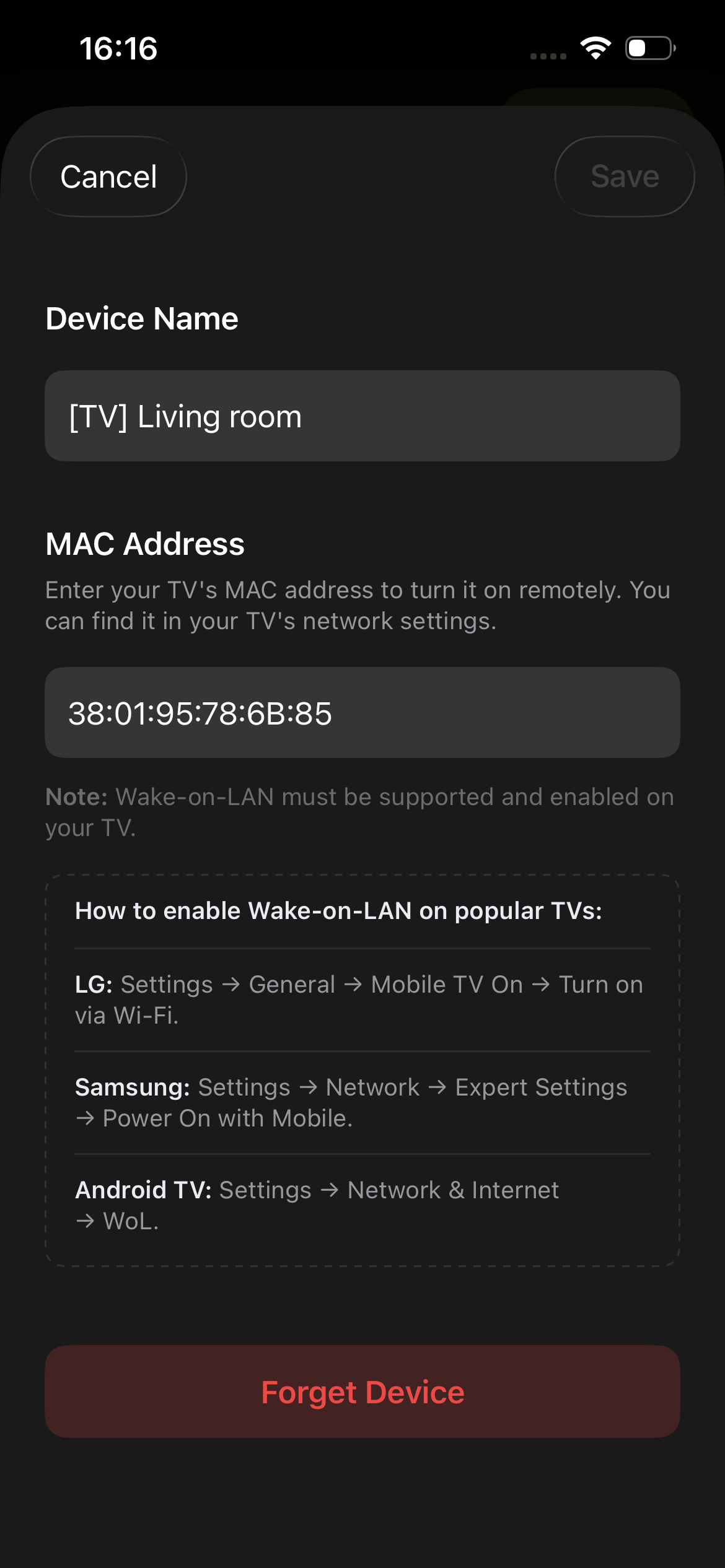
To enter the MAC address:
- Open the list of devices in TVRem.
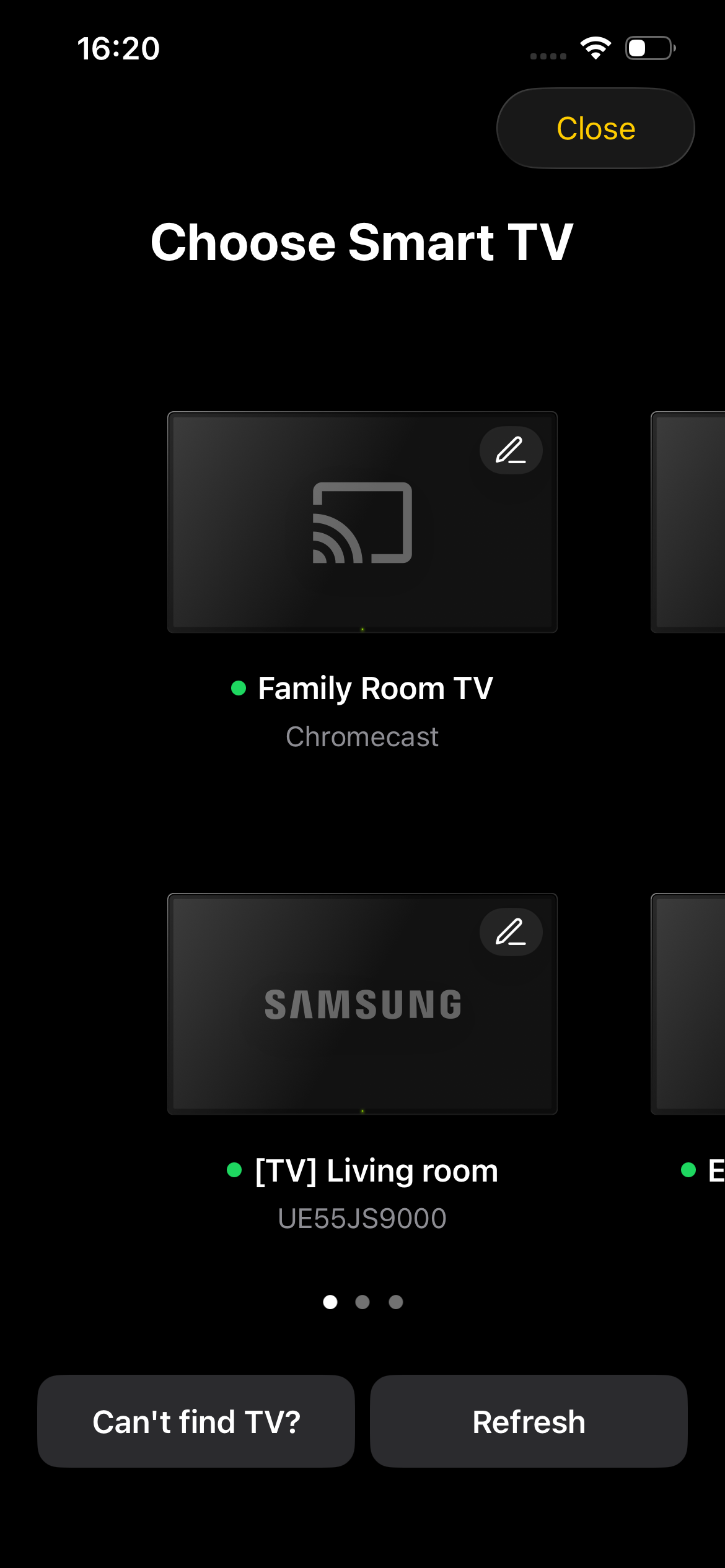
- Tap the Edit button for your device.
- On the device settings screen, enter the MAC address in the corresponding field and save your changes.
Unfortunately, remote power-on is not available for all Smart TVs and streaming devices, as some of them do not support Wake-on-LAN (WoL) or Wake on Wireless LAN (WoWLAN).
If your device supports one of these technologies but still does not turn on after entering the MAC address, please contact our Support team. We will be happy to investigate and help resolve the issue.